
RIGGING IN PRACTICE

Stop building lift plans from a blank page.

An editable Word template, 3 Excel calculators and worked examples. Organize your load data and planning documents for review by the responsible professional.

  • Editable Word template for a structured starting point
  • 3 Excel calculators + 2 field checklists
  • Technical guide with worked examples

US$57 Digital delivery through Hotmart 30-day money-back guarantee

FROM STUDY TO ORGANIZED DOCUMENTATION

Editable Word · Excel calculators · Reference materials

Illustrative image.

INSIDE THE TOOLKIT

See the files.
Know what you’re getting.

Selected pages and worksheet views from the actual English-language materials. Choose a sample and enlarge it to read.

CALCULATORS · EXCEL

Inputs in blue. Results to review.

See the sling tension worksheet with its supplied example inputs and calculated results.

Selected view of one of the three included Excel calculators. The files use metric units; sample values are for study.

Get the complete toolkit

US$57 · Digital delivery through Hotmart · 30-day money-back guarantee.

These are selected image previews, not the complete editable files. The supplied documents use metric units, including kg, m and kPa where shown. Complete files are delivered through Hotmart after purchase.

01 / EXPLORE THE TOOLKIT

Start with a structure.
Work through the details.

The documents and calculations come first. The guide helps you understand the reasoning.

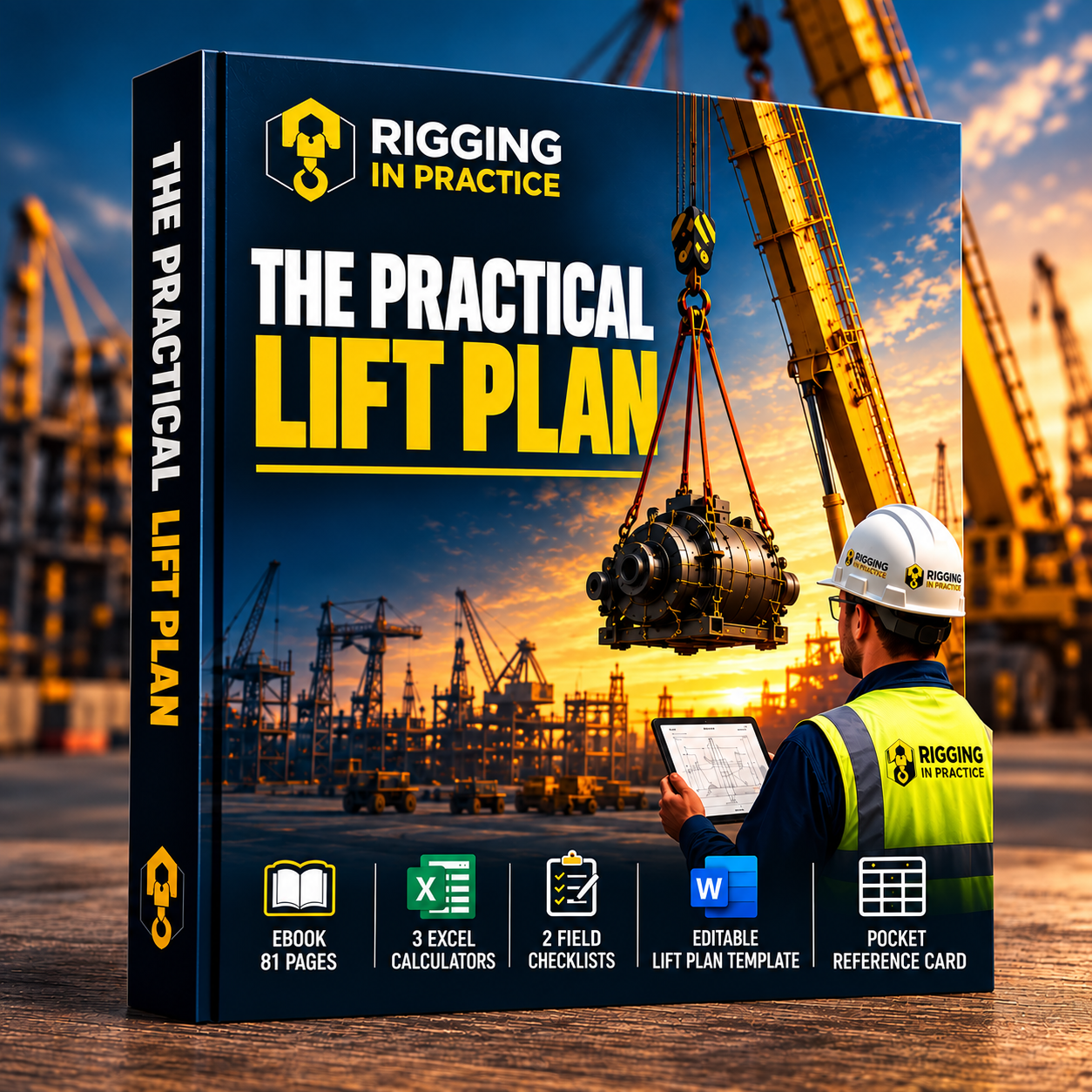
The Practical Lift Plan digital toolkit: 81-page eBook, three Excel calculators, two field checklists, editable lift plan template and pocket reference card.
Illustrative product mockup. This is a digital product, not a printed book.

A template to start with.
Tools to work through the inputs.

Use the Word template to organize your document, the calculators to explore the numbers and the worked examples to follow the reasoning.

View the offer
  1. 01

    Editable Word lift plan template

    A structured starting point for organizing the load, equipment, rigging and planning documentation.

  2. 02

    3 Excel calculators

    Calculation tools to work through inputs and review results alongside your planning references.

  3. 03

    2 field checklists

    Documents to organize checks and record observations before a lift.

  4. 04

    Technical eBook with worked examples

    81 pages for studying lift planning concepts and following example calculations.

  5. 05

    Pocket reference card

    A compact reference to keep selected information close at hand.

All items listed above are included in this offer. Digital files are available through Hotmart after payment approval.

WATCH THE CALCULATOR IN USE

Enter the data.
Follow the results.

Watch a real example in the English-language sling tension calculator, included in the toolkit.

1 min 05 sec · English on-screen instructions · No audio. On a phone, use landscape full screen to read the worksheet.
01

Enter your example inputs

See the load weight, margin and sling angle entered in the worksheet.

02

Compare the calculated results

Follow the tension per leg and the utilization percentage as the inputs change.

03

Read the checks

Observe the angle alerts, tagged WLL comparison and effective-leg rule used in the example.

Read the demonstration summary

The example changes the load to 8,000 kg with a 10% margin, giving a design weight of 8,800 kg. With two symmetric legs at 60° from horizontal, the worksheet shows a tension of approximately 5,081 kg per leg in its stated units.

A tagged WLL of 4,000 kg produces a utilization above 100%. Changing it to 6,000 kg reduces the displayed utilization to 84.7%. The video then reduces the angle, shows the increased tension and alerts, and demonstrates the effective-leg rule for a rigid four-point load.

“PASS” and “FAIL” refer to the worksheet check shown, not approval of a lifting operation. Example values must not be reused for a real lift without its own assessment.

A CALCULATION YOU CAN EXPLORE

Change the angle.
See the tension per leg.

Try a simplified two-leg sling calculation. See how the same load can create different leg tensions.

Two symmetric legs, equal load sharing. T = P ÷ (2 × sin θ). The input is load force in pounds-force (lbf), not mass.

TENSION IN EACH LEG3,464 lbf

Angle factor: 1.155

A lower angle from horizontal increases tension, even when the load stays the same.

Educational web demonstration, not a screenshot of the Excel file or an equipment selection tool. Actual selection depends on the arrangement, conditions and manufacturer limits.

02 / THE OFFER

Word template. Excel calculators.
One practical toolkit.

Start with organized documents and calculation tools, supported by a technical guide and worked examples.

Get digital access through Hotmart after payment approval for US$57, with a 30-day money-back guarantee.

THE PRACTICAL LIFT PLAN
$57.00

USD · Word template + calculators + guide

  • Editable Word lift plan template
  • 3 Excel calculators
  • 2 field checklists
  • 81-page eBook with worked examples
  • Pocket reference card
Get the toolkit for $57

Hotmart checkout · 30-day money-back guarantee · Final total shown before payment.

Delivery, payment and refunds
  • Digital resources delivered through Hotmart after payment approval.
  • Available payment methods, any taxes and the final total are shown at checkout.
  • 30-day money-back guarantee. Request a refund within 30 days of purchase through Hotmart; contact us if you need help locating your order.
  • Access support and refund questions: contact@rigginginpractice.com.
  • Rigging in Practice · Created by Raphael Cabral.

THE PERSON BEHIND THE TOOLKIT

Raphael Cabral

Mechanical Engineer · Operations Manager

Raphael works in mechanical engineering, maintenance and technical coordination in industrial environments, with experience in oil and gas, wind energy and mining.

His education includes technical training in Industrial Mechanics, a Mechanical Engineering degree, specialization in Wind Energy, postgraduate studies in Maintenance Engineering and Safety, and an MBA in Project Management.

Rigging in Practice brings together educational resources, worked examples and supporting documents for studying lift planning and organizing technical information.

03 / FREE SELF-ASSESSMENT

Scattered references.
Unanswered questions.
Where do you go next?

You find a resource, make a note and move on to another topic. When you return, you have to search for everything again.

You may need a study sequence. Or you may already have a routine and want to understand what deserves attention first.

The self-assessment helps turn that reflection into a practical priority.

After exploring the toolkit and the offer, reflect on your routine with five quick questions. Your result is free, with no purchase or registration required.

See how it works

WHAT THE ASSESSMENT LOOKS AT

Three perspectives.
A more organized routine.

A look at your habits.
No calculations or technical evaluation.

01 /

Focused
learning

How you choose topics to study and use worked examples.

To identify what to study next.
02 /

Organized
references

How you gather reference materials and identify document versions.

To return to your references with clarity.
03 /

Review and
follow-through

How you record questions to clarify with the professional responsible for lift planning.

To keep the next step visible.

HOW THE SELF-ASSESSMENT WORKS

Understand your routine.
Choose your next step.

  1. 1

    Answer questions about your routine

    Five questions about study, references and recording questions. Choose “Yes,” “Partly” or “No” based on your current practices.

  2. 2

    See your priorities

    A score from 0 to 100, three insights and recommendations based on your answers.

  3. 3

    Choose your next step

    Start with the first recommendation. If helpful, compare your priorities with the resources presented on this page.

WHAT YOU RECEIVE

More than just a number.

Your result includes a score interpretation, three insights, three priorities and a study action plan. You can view it without buying anything.

5 questions · No registration · No purchase required.

Based on self-reported habits. It does not evaluate a lift, certify competence or authorize lifting operations.

WHO IT IS FOR

For the people organizing a lift
and the people learning how.

Riggers, signalpersons and supervisors

Study planning concepts and organize references for team checks and discussions.

Technicians and engineers

Support your study and documentation in construction, maintenance and workplace safety.

Students and small lifting businesses

Explore the structure of a lift plan, follow worked examples and organize supporting information.

04 / FREQUENTLY ASKED QUESTIONS

Clarity before
your next step.

How does the self-assessment work?

There are five questions about your study routine, reference organization and recording questions. Each answer contributes to a score from 0 to 100. The result provides three insights and priorities for your next step. No purchase is required.

Who can take it? Do I need to be an expert?

Anyone studying rigging or organizing lift planning information can reflect on their habits. The assessment does not require you to demonstrate technical competence.

What is included, and in which formats?

The toolkit includes an 81-page eBook with worked examples, three Excel calculators, two field checklists, an editable Word lift plan template and a pocket reference card. Contact support before purchase if you have questions about file compatibility.

Which units do the files use?

The supplied English-language files use metric units, including kg, m and kPa where shown. Follow the units and instructions in each file. The separate interactive web calculation uses lbf for both its load-force input and tension output; it is not a unit conversion of the Excel files.

Where do I receive the materials?

The digital resources are delivered through Hotmart after payment approval. Follow the platform’s access instructions. If you need help signing in or finding a file, contact support.

Does it include support, classes or coaching?

For access and product support, email Raphael Cabral at contact@rigginginpractice.com. The short calculator demonstration on this page is a usage preview. The toolkit does not include a certified training course or individual coaching.

How much does it cost, and how can I pay?

The toolkit costs US$57. Payment is processed through Hotmart. Review the available payment methods, any applicable taxes, currency and final total at checkout before completing your purchase.

What is the refund policy?

Your purchase comes with a 30-day money-back guarantee. Request a refund through Hotmart within 30 days of purchase. For help locating your order or submitting a request, contact contact@rigginginpractice.com, with the details needed to identify your purchase.

Do I need to provide contact details? What happens to my answers?

We do not ask for your phone number or email. Your answers are processed in your browser and, when supported, saved for the current tab session. “Clear and restart” deletes that record. Answers are not sent to a server, and are not shared with advertising tools. Optional advertising measurement requires your permission.

The hosting provider may process technical access data. When you select the purchase button, you go to Hotmart, which processes purchase data under its own policies. Your assessment answers are not sent to checkout. Contact: contact@rigginginpractice.com.

Does my score or purchase qualify me to perform lifting operations?

No. The score reflects self-reported habits. The guide does not replace training, qualifications, an operation-specific assessment or review by the responsible professional.

What should I do after seeing my result?

Start with the first recommendation. Review the other priorities and consider the toolkit if its format meets your needs. You can view your result without buying anything.

WORD TEMPLATE · EXCEL CALCULATORS · GUIDE AND EXAMPLES

Start with a structure.
Build your planning knowledge.

Get the complete toolkit for $57

Digital access through Hotmart · 30-day money-back guarantee.

YOUR STUDY ROADMAP
DATA AND PRIVACY

Your answers stay in your browser.

The self-assessment calculates your result on this device without sending your answers to a server. When available, tab session storage lets you resume after refreshing the page.

You can delete your answers with “Clear and restart.” There is no registration or automated email delivery. Optional advertising measurement requires your permission. Your assessment answers and score are not shared with advertising tools.

The hosting provider may process technical access data. Hotmart operates checkout and product access under its own policies. Your answers are not sent to checkout. This offer is provided by Rigging in Practice, created by Raphael Cabral. Contact: contact@rigginginpractice.com.

Material preview

Selected preview from the English-language toolkit. Metric units as shown in the source file.